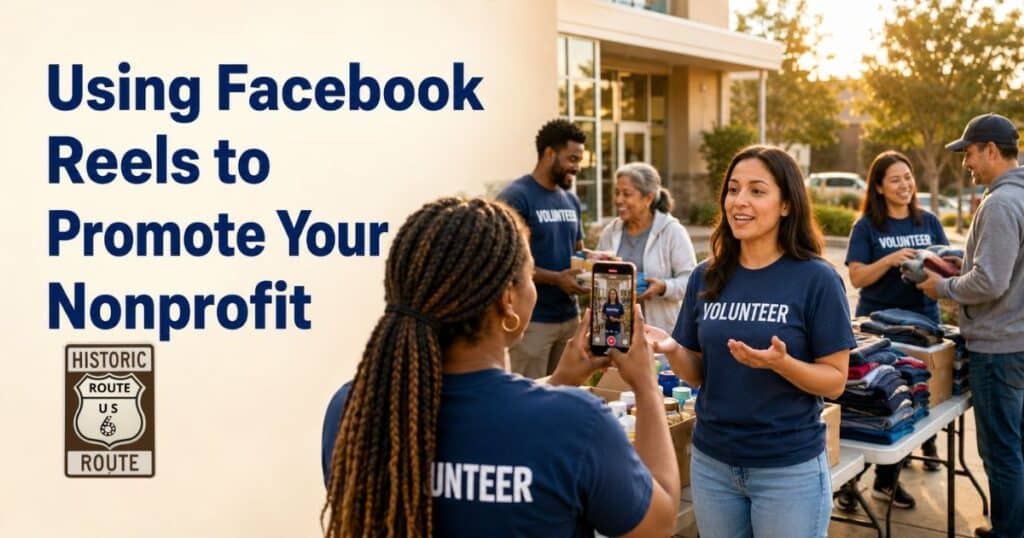
Facebook Reels give nonprofit organizations a practical way to tell stories, reach new supporters, recruit volunteers, and show the real-world results of their work.
Unlike a traditional Facebook post that may depend on people already following your Page, a Reel can be recommended to people who have never encountered your organization. That gives even a small nonprofit the opportunity to reach a much larger audience without requiring a large advertising budget.
Facebook has also simplified video publishing by moving its video formats toward Reels. Videos can still be short, long, horizontal, or vertical, but they are increasingly published and discovered through the Reels experience. This makes video an important part of any nonprofit Facebook strategy. Meta explains the Facebook video changes here.
Why Facebook Reels Work for Nonprofits
People support organizations they understand and trust. Short videos help build that connection by showing the people, places, and stories behind a mission.
A Reel can introduce a volunteer, show progress on a community project, explain how a donation helps, or invite people to an upcoming event. These brief visual stories can often communicate more emotion than a photograph or paragraph of text.
Reels can help a nonprofit:
- Reach people beyond its current followers
- Make its mission easier to understand
- Show how donations are used
- Recognize volunteers and community partners
- Promote events and fundraising campaigns
- Encourage comments, shares, and conversations
- Direct viewers to a website, newsletter, or donation page
The goal is not simply to collect views. A successful nonprofit Reel helps the viewer understand why the organization’s work matters and what to do next.
Start With One Clear Message
Every Reel should focus on a single idea.
Trying to explain an organization’s complete history, mission, programs, and financial needs in one video will overwhelm viewers. Choose one story and build the Reel around it.
For example:
- This volunteer has served the community for ten years.
- A $25 donation provides supplies for one participant.
- This historic building needs help before winter.
- Registration for Saturday’s community event is open.
- Here is what our team accomplished this week.
A clear message makes the video easier to follow and gives viewers a reason to continue watching.
Capture Attention Immediately
The opening seconds are critical. Begin with the most interesting visual, statement, or question rather than a long introduction.
Possible opening lines include:
- “Here is what your donation made possible.”
- “Meet the volunteer who keeps this program running.”
- “Can we complete this project before winter?”
- “This is what happens behind the scenes.”
- “Three ways you can help your community this week.”
Place the opening message on the screen as text. Many people watch videos with the sound turned off, so the main idea should be understandable without audio.
Show Real People Doing Real Work
Nonprofits do not need expensive cameras or elaborate production equipment. Authentic smartphone footage often works well because it feels immediate and personal.
Record volunteers preparing for an event, staff members delivering services, supporters visiting a project, or community members explaining why the organization matters to them.
Useful footage might include:
- Volunteers setting up an event
- Before-and-after project views
- Donated supplies arriving
- A brief interview with a supporter
- A tour of a nonprofit facility
- Staff members explaining a program
- Highlights from a community celebration
- A thank-you message after a fundraiser
Always get permission before recording or identifying clients, children, volunteers, or community members. Organizations serving vulnerable populations should be especially careful about privacy, dignity, and location information.
Use Storytelling Instead of Advertising
The most compelling nonprofit Reels usually feel like stories rather than commercials.
A simple story can follow this structure:
- Introduce a person, place, or need.
- Explain the challenge.
- Show what the nonprofit is doing.
- Present the result or opportunity.
- Invite the viewer to take one action.
For example, a food pantry could begin with empty shelves, show volunteers unloading a delivery, explain how many households will be served, and finish by inviting viewers to donate a specific item.
This structure gives the Reel a beginning, middle, and conclusion while keeping the message focused.
Add Captions and On-Screen Text
Captions make Reels more accessible to people who are deaf or hard of hearing. They also help viewers understand the message when they cannot listen to the audio.
Facebook supports captions for video content, and Meta recommends captions as a way to make videos accessible to a broader audience. Facebook provides caption guidance in its Help Center.
Keep on-screen text:
- Large enough to read on a phone
- Short and easy to understand
- Away from the edges of the screen
- Visible long enough to be read
- High in contrast against the background
Review automatically generated captions before publishing. Names, locations, and organization-specific terms are frequently transcribed incorrectly.
Include a Specific Call to Action
Tell viewers exactly what they can do after watching.
A Reel should usually contain one primary call to action, such as:
- Follow our Facebook Page.
- Share this Reel with a friend.
- Volunteer at our next event.
- Subscribe to our newsletter.
- Visit our website to learn more.
- Register for the program.
- Donate to support the project.
Avoid asking viewers to follow, comment, subscribe, volunteer, donate, register, and visit a website all at once. One clear next step is more effective.
Because clickable links may not always appear directly inside a Reel, place the relevant link in the post description, a pinned comment, or your Page information. Tell viewers where they can find it.
Create Reels From Content You Already Have
A nonprofit does not need to begin every Reel from scratch. Existing photographs, event footage, interviews, presentations, and longer videos can be repurposed.
One recorded interview could become several Reels:
- Why the organization was founded
- A volunteer’s favorite experience
- The impact of a recent project
- One common misconception
- An invitation to get involved
A longer event video can also be divided into short highlights. This approach saves time and gives the organization a consistent supply of useful content.
Build a Simple Reels Schedule
Consistency matters more than posting every day. Begin with a schedule your team can maintain, such as one Reel each week.
A monthly plan could include:
- Week 1: Mission or program explanation
- Week 2: Volunteer or supporter spotlight
- Week 3: Behind-the-scenes video
- Week 4: Event, membership, or fundraising invitation
Record several videos during the same event or work session. This gives the organization a library of content that can be edited and published later.
Measure Meaningful Results
View count is useful, but it should not be the only measurement.
Review:
- Average viewing time
- Percentage of the Reel watched
- Shares
- Comments
- Saves
- New Page followers
- Website visits
- Newsletter subscriptions
- Volunteer inquiries
- Event registrations
- Donations connected to the campaign
Compare several Reels before deciding which subjects and formats work best. A video with fewer views may still be more valuable if it generates volunteers, registrations, or donations.
Facebook Reel Ideas for Nonprofits
Here are ten ideas that can be adapted to almost any organization:
- Introduce a volunteer in 30 seconds.
- Show one day inside the organization.
- Explain what a specific donation amount provides.
- Share progress on a current project.
- Answer a frequently asked question.
- Present three reasons the mission matters.
- Thank donors after a successful campaign.
- Promote an upcoming event.
- Show a project before and after completion.
- Invite followers to submit questions for a future Reel.
Keep the Mission at the Center
Facebook Reels can help a nonprofit become more visible, but visibility should always support the organization’s larger goals.
Create videos that are useful, respectful, and connected to the mission. Show the work honestly, recognize the people making it possible, and give viewers a simple way to participate.
A clear story recorded on a smartphone can introduce a nonprofit to new supporters, strengthen relationships with existing followers, and turn online attention into meaningful community action.
Visit the US Route 6 Tourist Association
Subscribe today and let Route 6 come to you, one story at a time.
FOLLOW US


